A ReliaHome Smart Panel configured to connect over WiFi will lose connectivity when any of the following occur:
- A WiFi router is replaced.
- A WiFi network name (SSID) or password is changed.
This article outlines the process to re-introduce WiFi credentials to a previously-installed ReliaHome Smart Panel. This process can be performed by a system owner, installer, or any other user within range of the home's WiFi network.
1. Ensure that the ReliaHome Smart Panel is in Setup Mode, indicated by blinking blue and green lights on the side of the ReliaHome Smart Panel.
| |
| 2. Ensure that your mobile device is connected to the home's WiFi network. | |
| 3. Open the ReliaHome mobile app and log in | 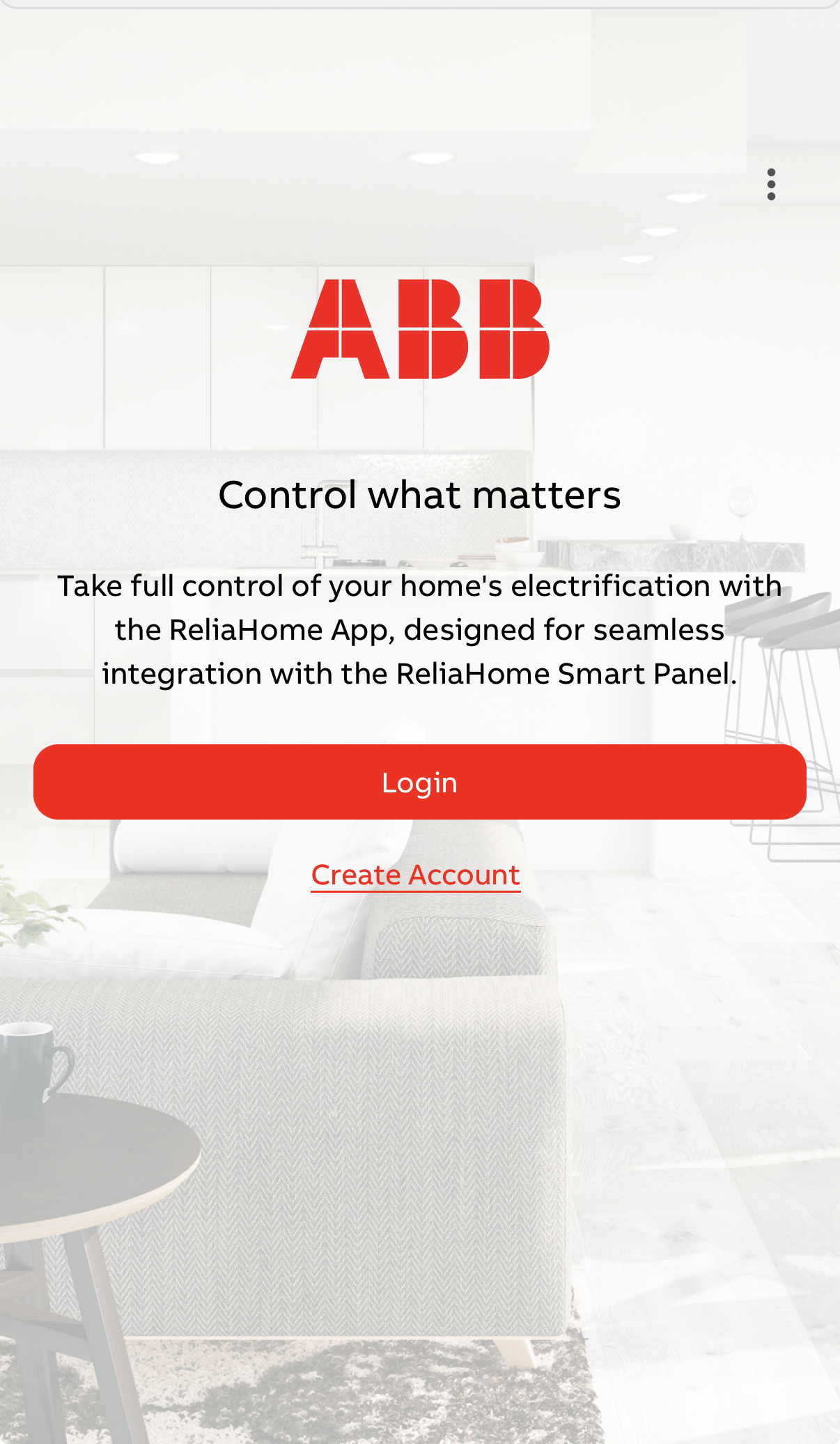 |
4. Select the Menu icon in the bottom right corner of the app. | 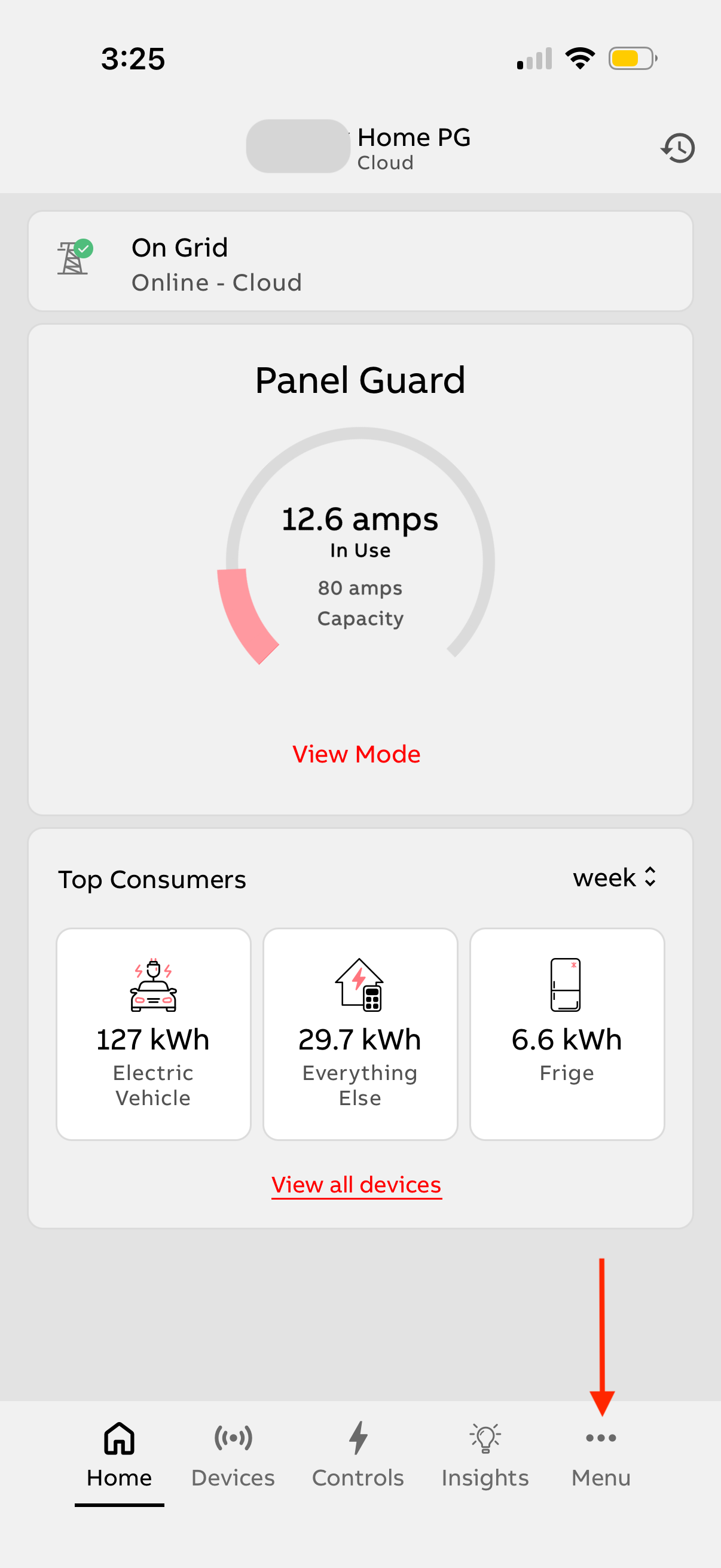 |
| 5. Select System (under Settings) | 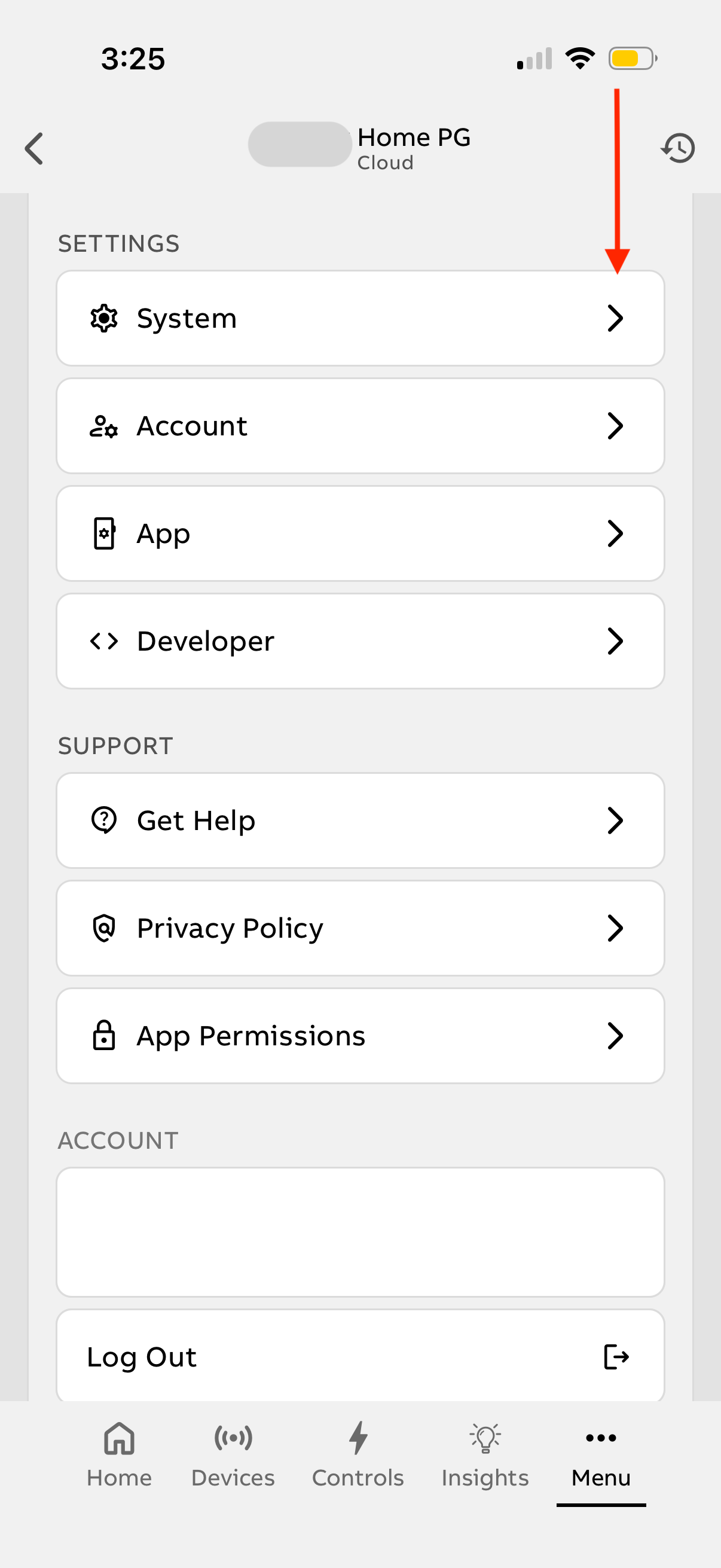 |
| 6. Go To Network Settings | 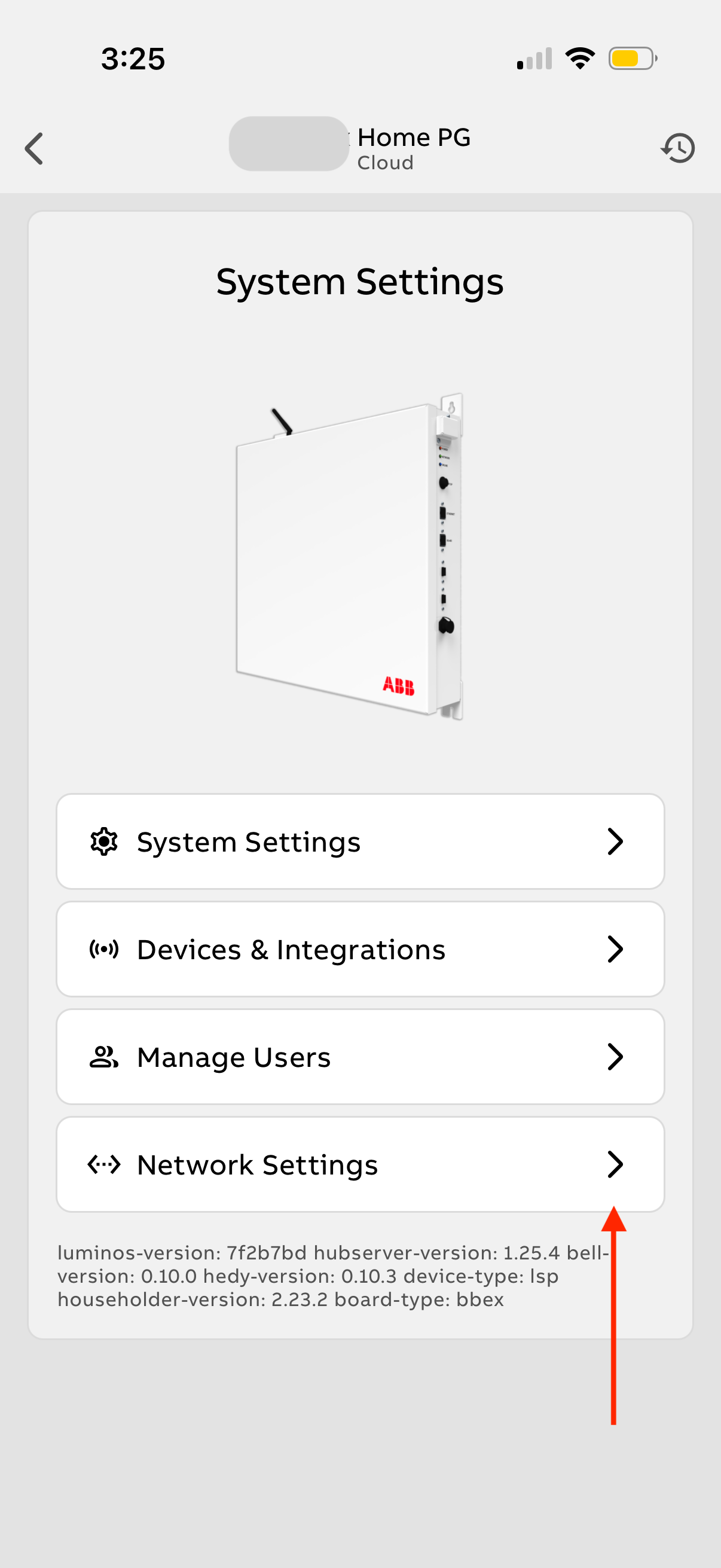 |
| 7. Go to Reconfigure WiFi | 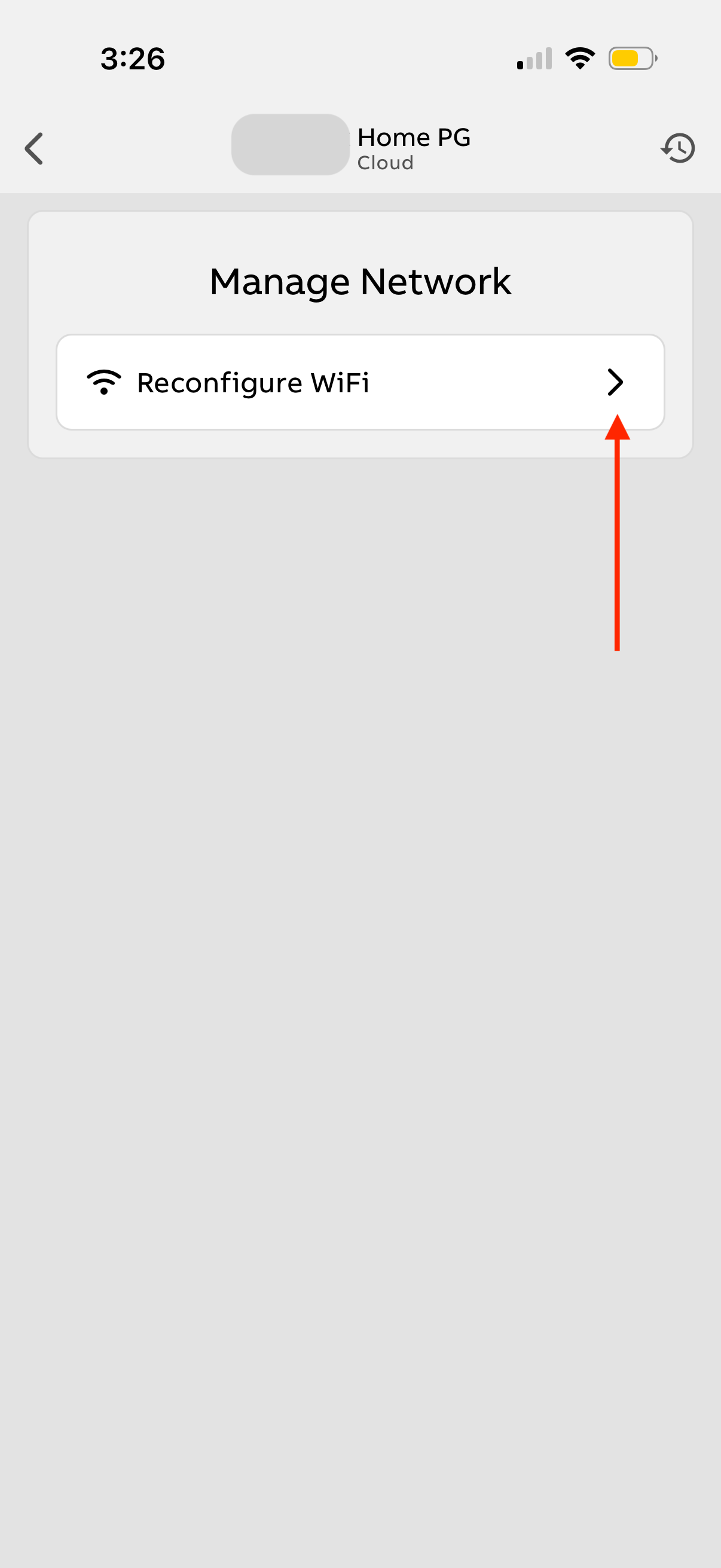 |
8. Scan barcode or connect directly to ReliaHome Panel hotspot and follow prompts to complete the process. | 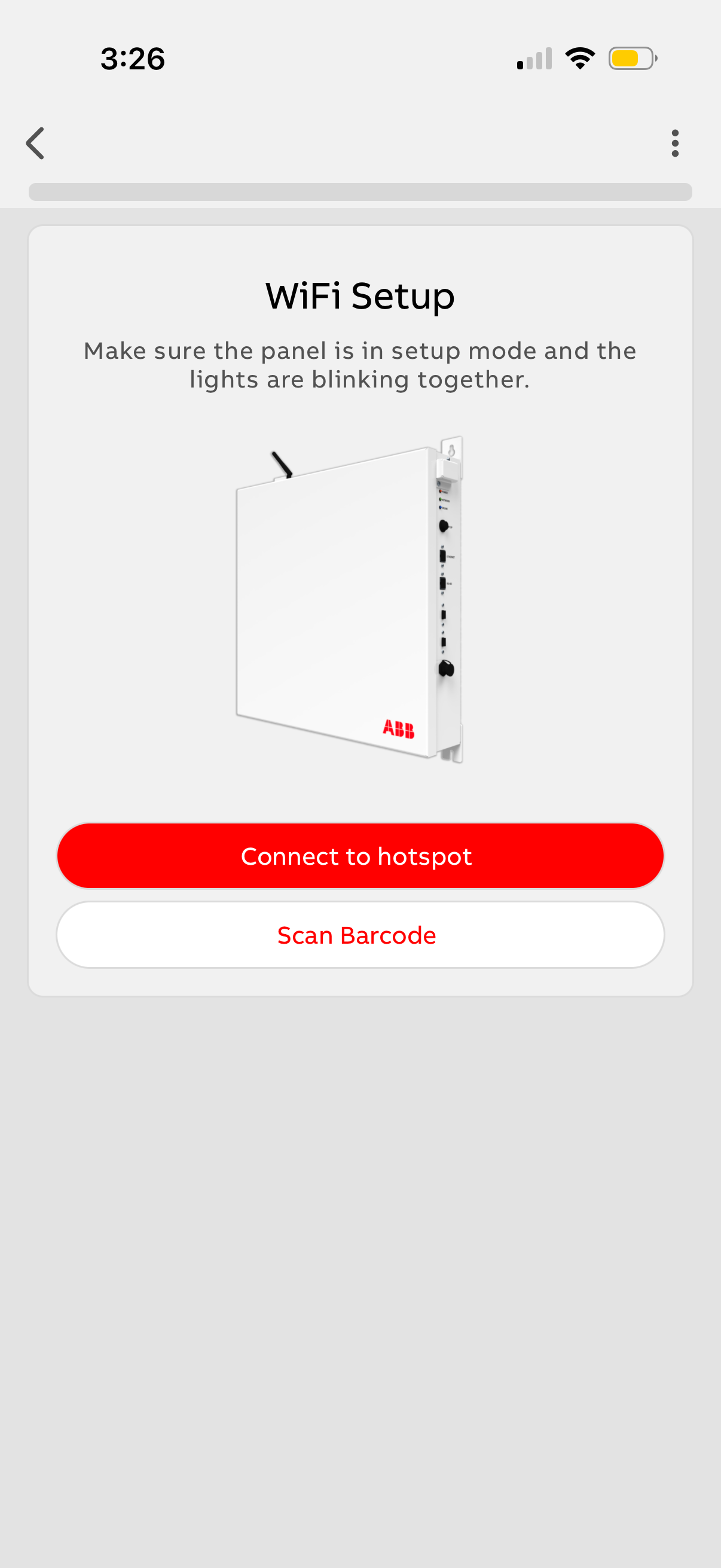 |
Was this article helpful?
That’s Great!
Thank you for your feedback
Sorry! We couldn't be helpful
Thank you for your feedback
Feedback sent
We appreciate your effort and will try to fix the article