Overview
Tesla EV Throttling is a Panel Guard feature that reduces your electric vehicle's charge rate when your home’s usage is high instead of cutting power entirely.
Without this integration, Panel Guard manages your EV circuit the same way it manages any other circuit: by opening the relay to cut power completely when your home exceeds its limits. With Tesla EV Throttling enabled, Panel Guard communicates directly with your vehicle through the Tesla Fleet API to reduce the charge rate to 15 amps, enough to keep charging while freeing up headroom for your other appliances. Full charging speed restores automatically when the overload clears.
Tesla EV Throttling is only available when Panel Guard is configured and an EV circuit is enrolled.
Requirements
Before connecting a Tesla EV, ensure the following are in place:
Panel Guard is configured and active.
At least one circuit is enrolled as an Electric Vehicle circuit in Panel Guard.
Note: Tesla EV Throttling applies to Tesla vehicles only. Non-Tesla EVs on a Panel Guard circuit are managed via relay (on/off) only.
How to Connect Your Tesla EV
There are two ways to start the setup:
Option 1: Go to Settings > System > Devices & Integrations > Tesla EV
Option 2: Go to Devices > + > Tesla EV
| Tesla EV Throttling Banner on Home Screen | 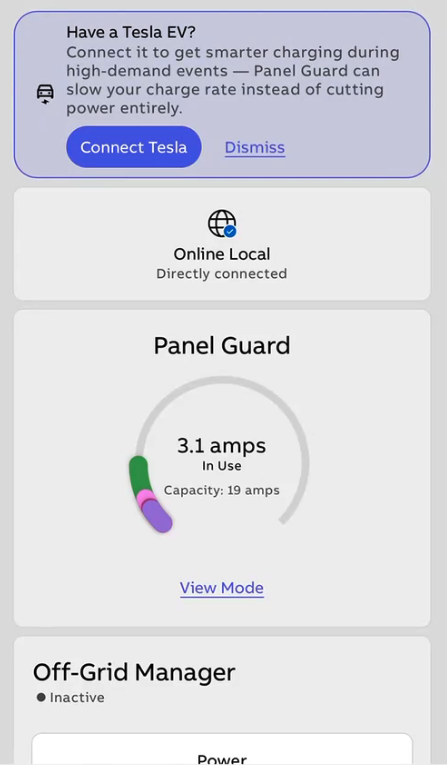 |
| Go to 'Add Devices'. If the above requirements are met the integration will be visible. | 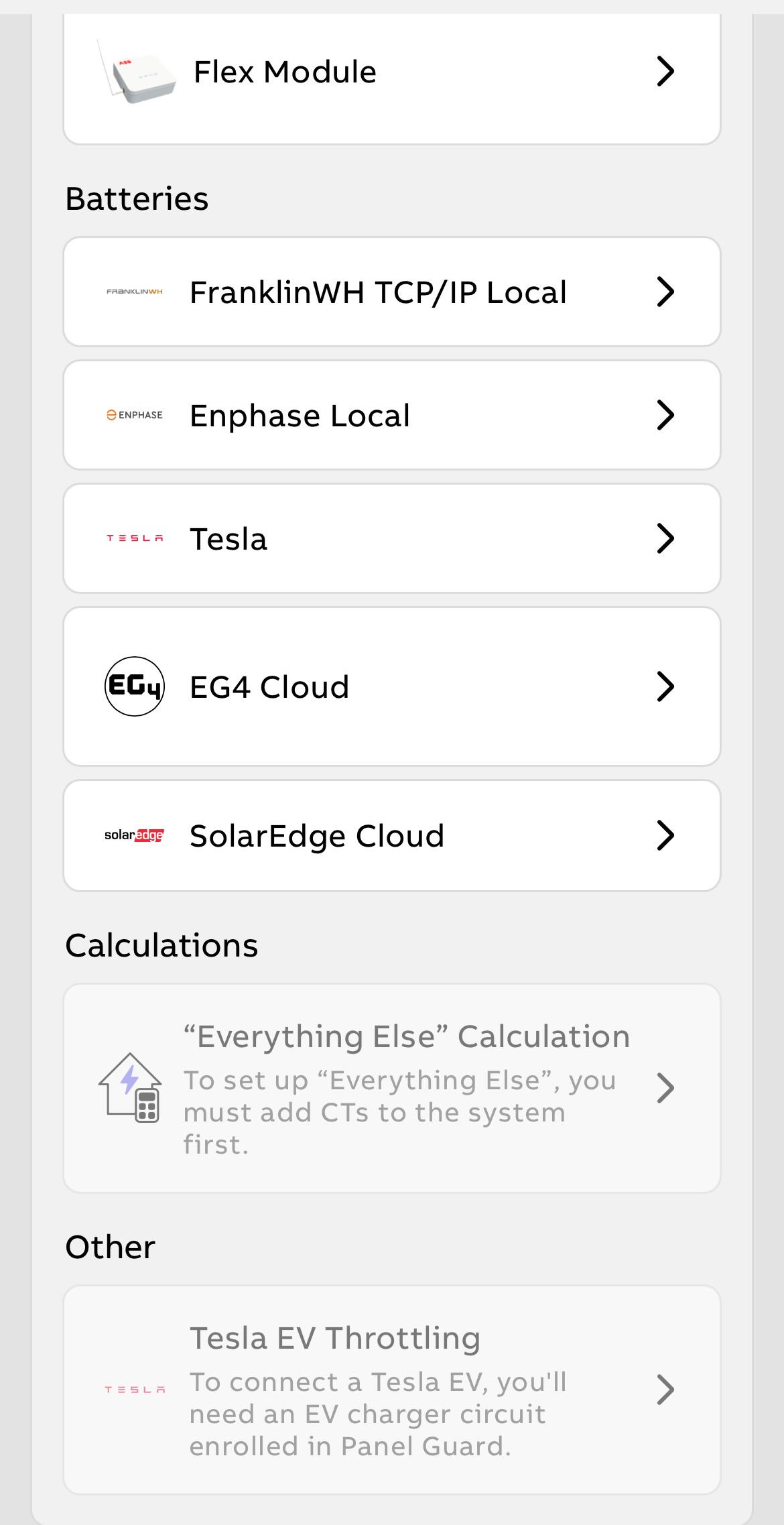 |
| Review the integration description and tap Connect. | 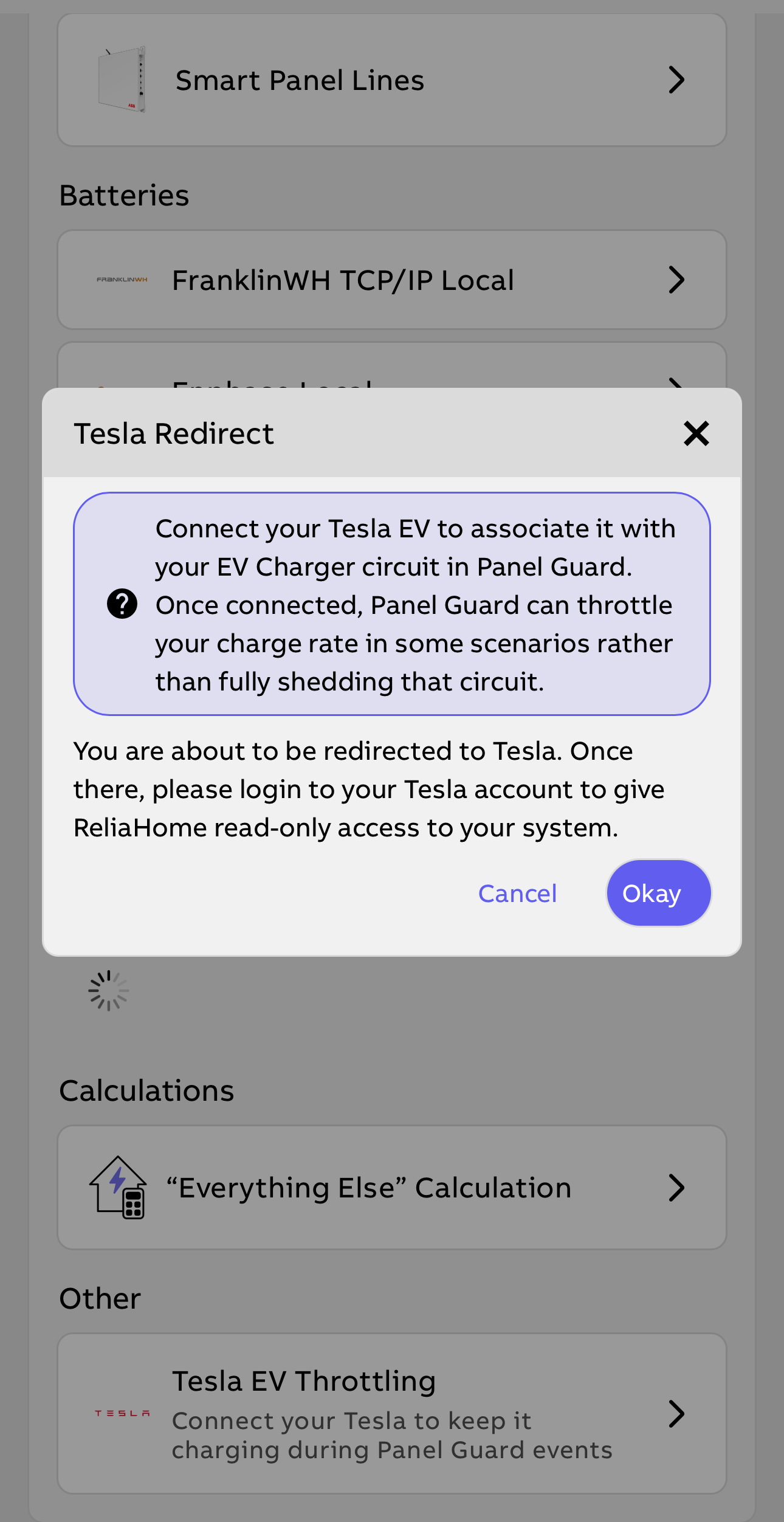 |
| You will be redirected to Tesla's login page. Sign in with your Tesla account credentials to authorize access. | 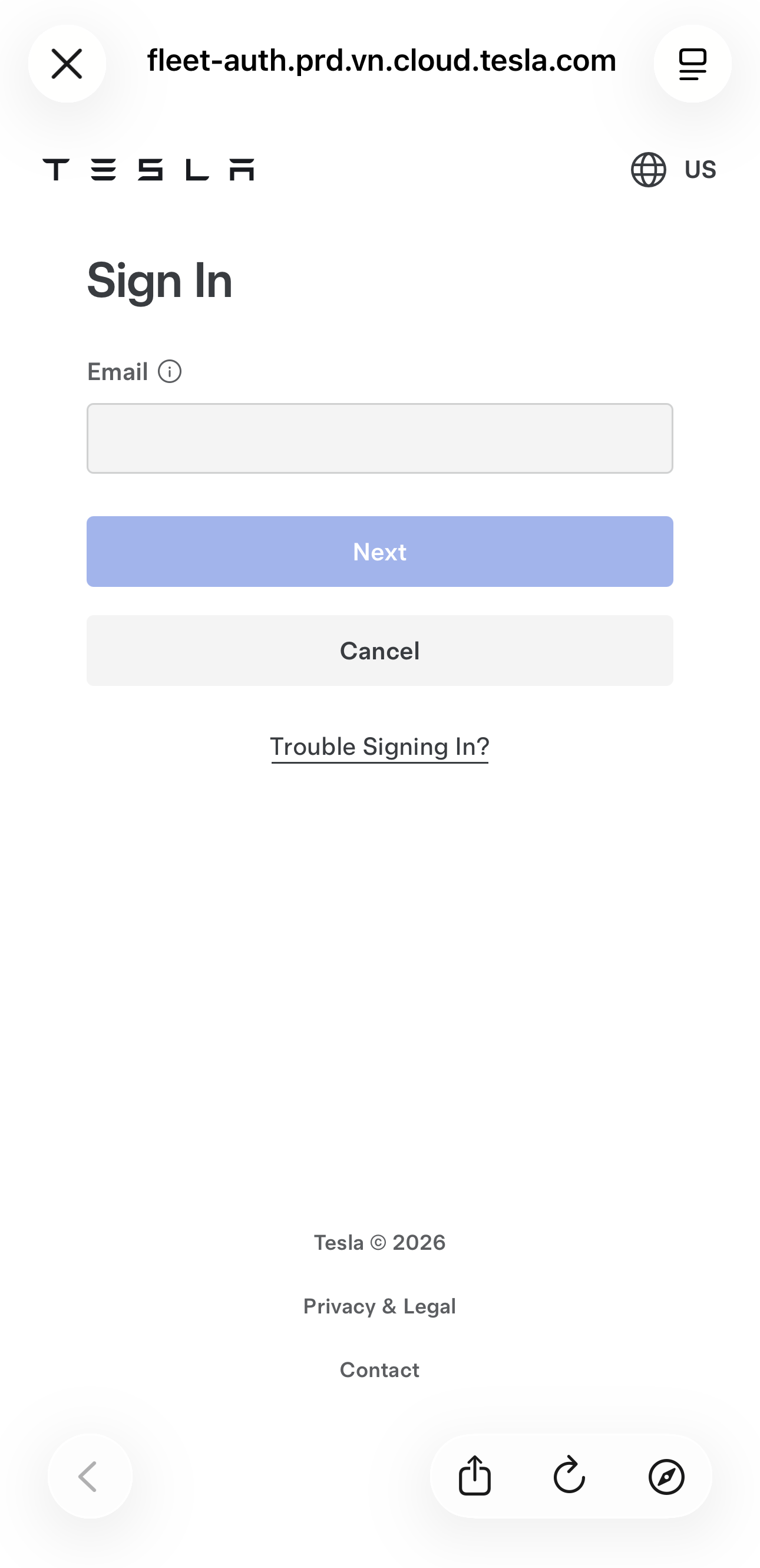 |
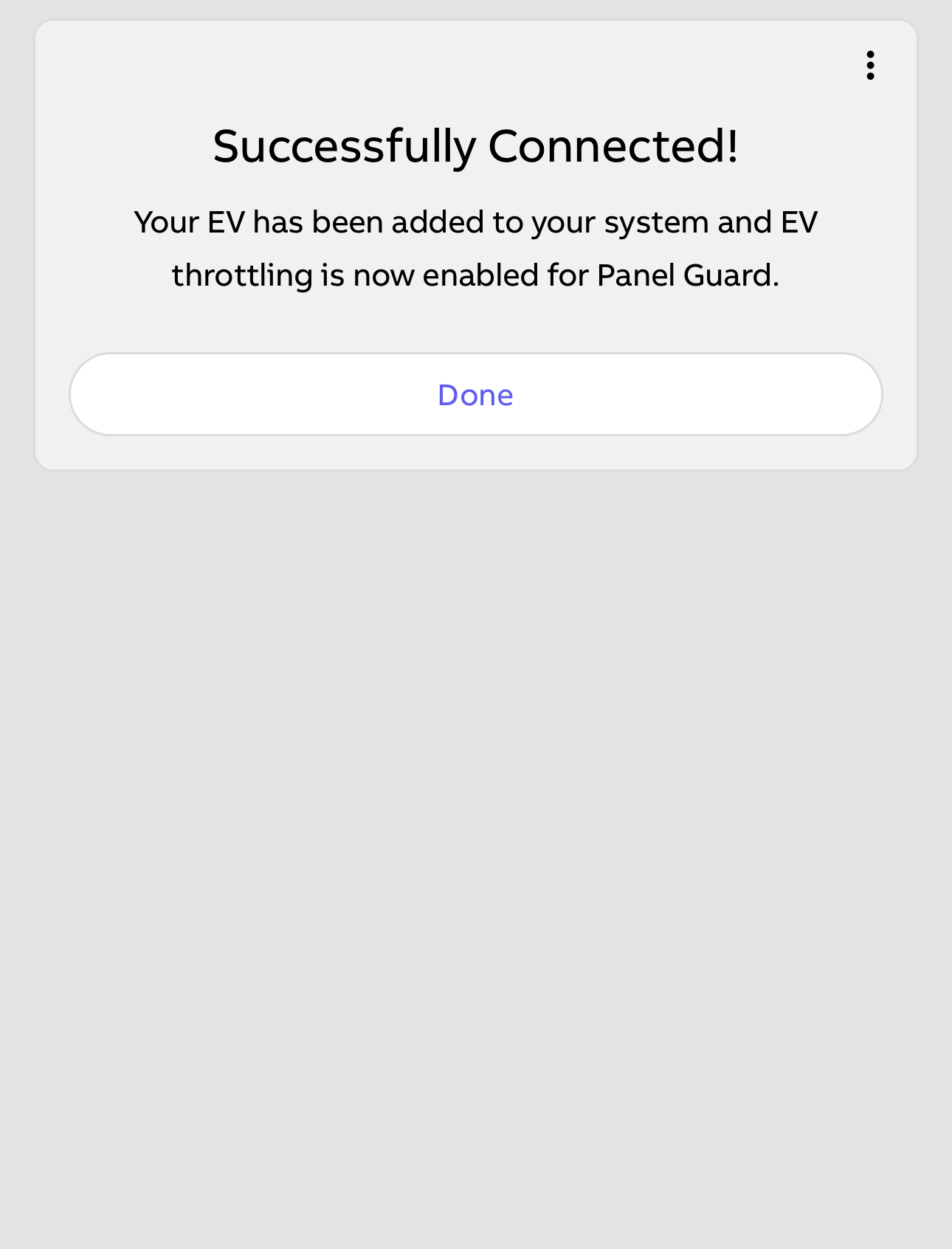
After authorization, your linked Tesla vehicles will appear. Select the vehicle you want to connect.
|
|
|
How Tesla EV Throttling Works
When Panel Guard detects that your home has reached its pre-configured amperage limit, and your EV is charging at home, it follows this automatic sequence:
1. Throttle: Panel Guard sends a command via the Tesla Fleet API to reduce your vehicle's charge rate to 15A. This happens automatically in the background, with no action required from you.
2. Monitor: Panel Guard continues watching your home's energy load.
3. Restore: When your home's demand drops to a safe level, Panel Guard automatically restores full charging speed.
Fallback protection
If Panel Guard cannot reach the Tesla API, or if reducing the charge rate to 15A is not enough to resolve the overload, Panel Guard falls back to its standard behavior: opening the relay on the EV circuit to cut power entirely. This is the same protection Panel Guard has always provided, and it applies automatically. No setup is required.
Panel Guard will also fall back to relay control if a non-Tesla vehicle is detected on the circuit.
Note: There is a minimum of 5 minutes before a circuit can be re-enabled after being shed via relay, to prevent rapid cycling of the charger. This does not apply to a circuit being manually enabled, though.
What You'll See in the App
The EV device card on the Home screen shows the current state of your Tesla EV's connection to Panel Guard. There are three possible states:
Normal
Your vehicle is charging at its full configured rate. Panel Guard is not actively managing the charge rate.
Throttled
Panel Guard has reduced your vehicle's charge rate to 15A to resolve a home overload. Your vehicle is still charging. Full rate will restore automatically when the overload clears. The toggle on the device card will remain on.
Shed
Panel Guard has cut power to the EV circuit via relay as a fallback. This occurs when throttling alone could not resolve the overload, or when Panel Guard could not reach the Tesla API.
Note: The "EV Amps" reading on the device card shows the charge rate setpoint sent to the vehicle, not live power draw. If the vehicle is not actively charging, the displayed value may not reflect actual consumption.
Frequently Asked Questions
Can I manually override a throttled or shed state?
Throttled: Adjust the charge rate directly from your Tesla app, or turn the circuit toggle off and back on in the Panel Guard app to release the throttle via the API.
Shed: You can manually re-enable a disabled circuit from the Home screen or the Electric Vehicle device card. Note that if the overload condition persists, Panel Guard may throttle or shed the circuit again.
Will throttling damage my EV or charger?
No. Reducing the charge rate is a normal operation that EVs are designed to handle. Panel Guard uses the same command a driver would use to manually adjust charge rate in the Tesla app.
What if I have more than one Tesla vehicle?
You can connect multiple Tesla vehicles. When more than one is linked, Panel Guard automatically detects which vehicle is actively charging at the time and applies throttling to that vehicle. There is no need to assign a vehicle to a specific circuit.
Does this work if my car is plugged in but not actively charging?
Tesla EV Throttling only applies when the vehicle is actively drawing power. If your vehicle is fully charged or has paused charging for another reason, Panel Guard will not send throttle commands to it.
If you have additional questions about Tesla EV Throttling, please contact 888-421-0616 or support@reliahome.abb.com.
Was this article helpful?
That’s Great!
Thank you for your feedback
Sorry! We couldn't be helpful
Thank you for your feedback
Feedback sent
We appreciate your effort and will try to fix the article